> For the complete documentation index, see [llms.txt](https://docs.openstamanager.com/llms.txt). Markdown versions of documentation pages are available by appending `.md` to page URLs; this page is available as [Markdown](https://docs.openstamanager.com/2.11.1/moduli-premium/produzione/evasione-ordine.md).
# Evasione ordine
Guida alla registrazione ed evasioni degli ordini in OpenSTAManager
### Registrare un ordine cliente
{% content-ref url="/pages/-M2sjKQC4z2LQDp4yPBZ" %}
[Ordini cliente](/2.11.1/openstamanager/modules/vendite/ordinicliente.md)
{% endcontent-ref %}
### Creazione DDT di vendita
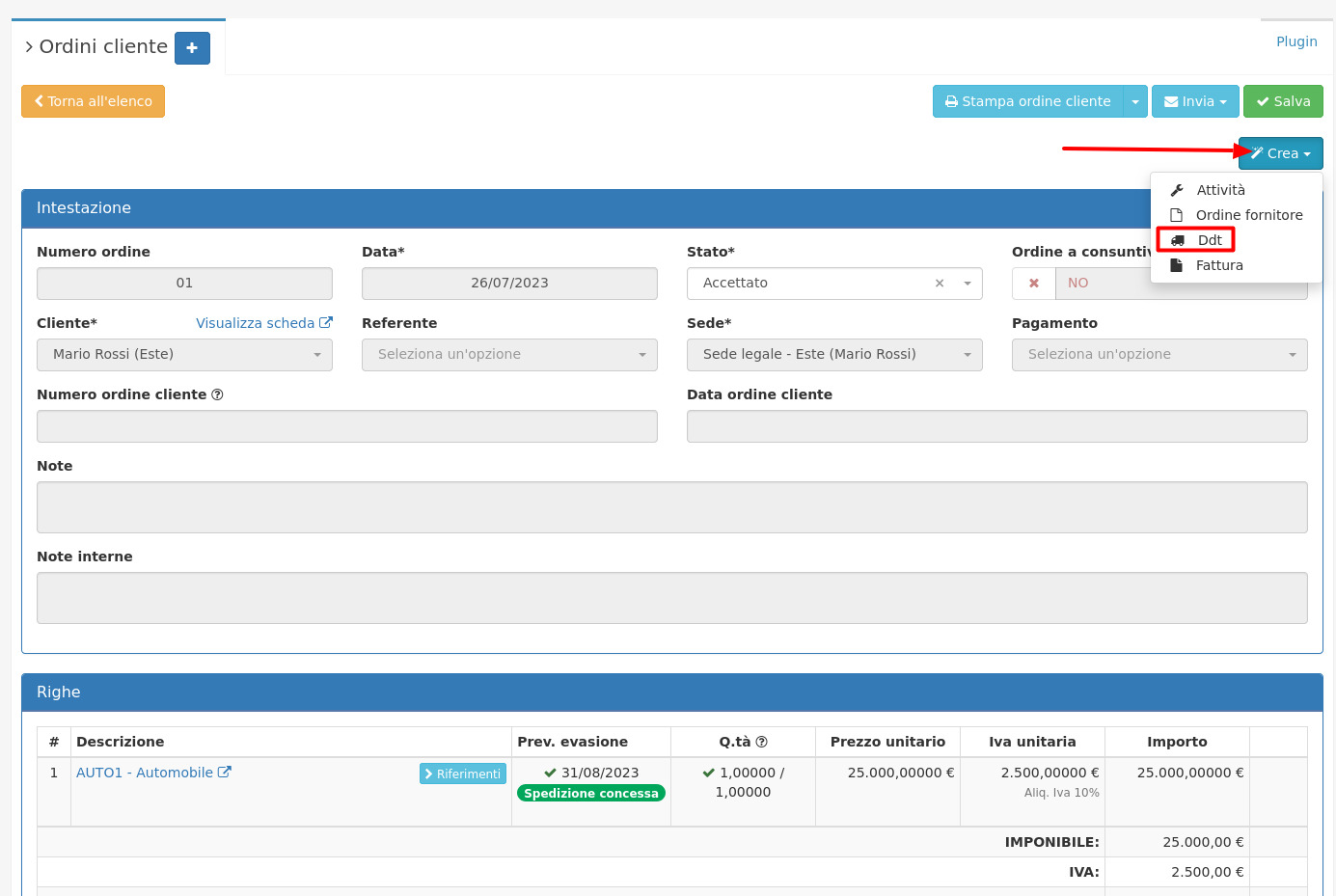
Dall'ordine cliente appena registrato è possibile cliccare su Crea/Ddt per creare un DDT di vendita.
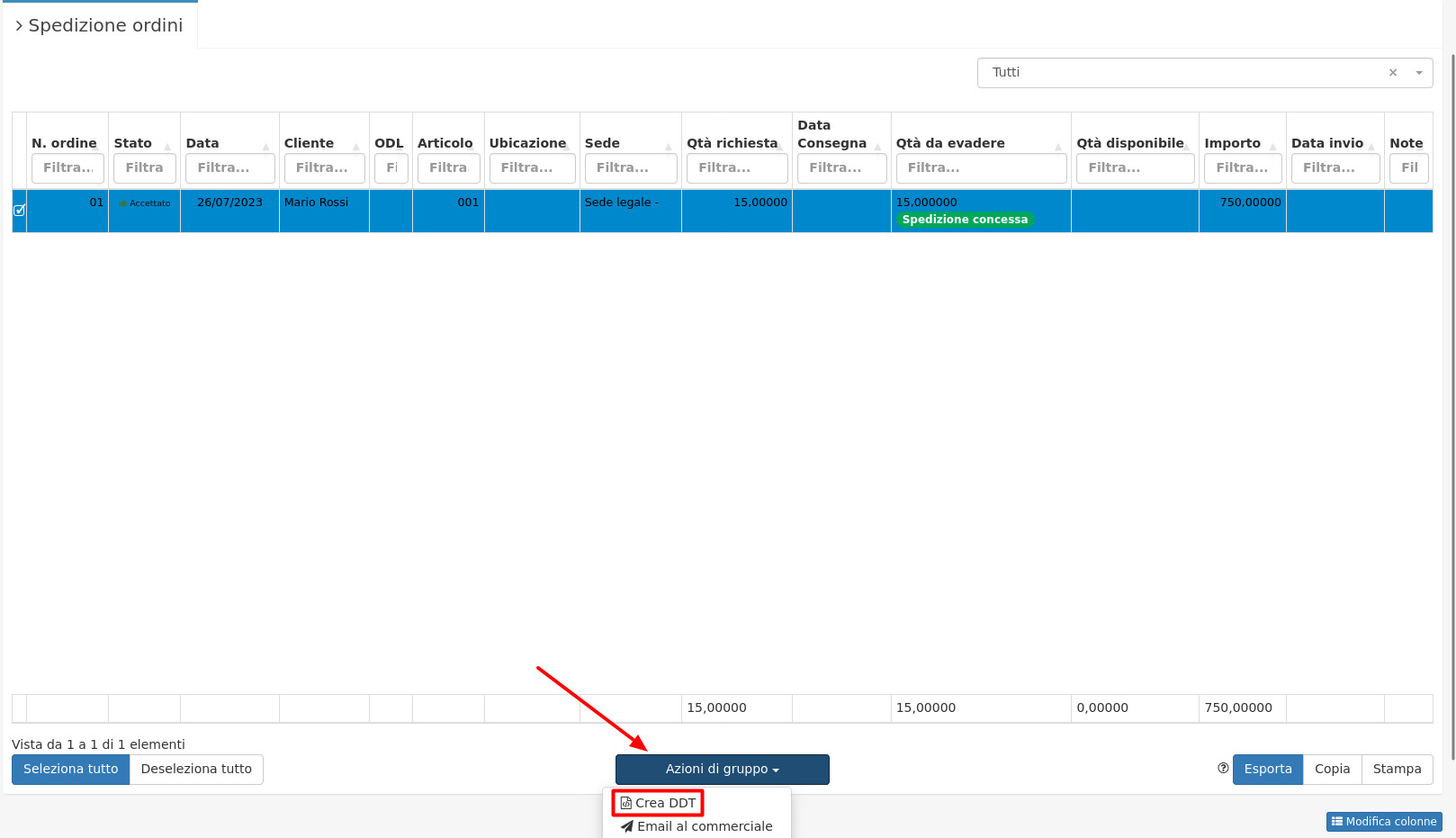
Per creare un DDT da più ordini cliente invece sarà sufficiente accedere al modulo **Magazzino/Spedizione ordini**, selezionare gli ordini interessari e cliccare su **Azioni di gruppo/Crea DDT**.
Verrà così creato un DDT che riporterà le righe da evadere con quantità disponibili a magazzino degli ordini cliente, non verranno quindi riportati gli articoli con quantità insufficiente.
### Fatturazione del DDT di vendita
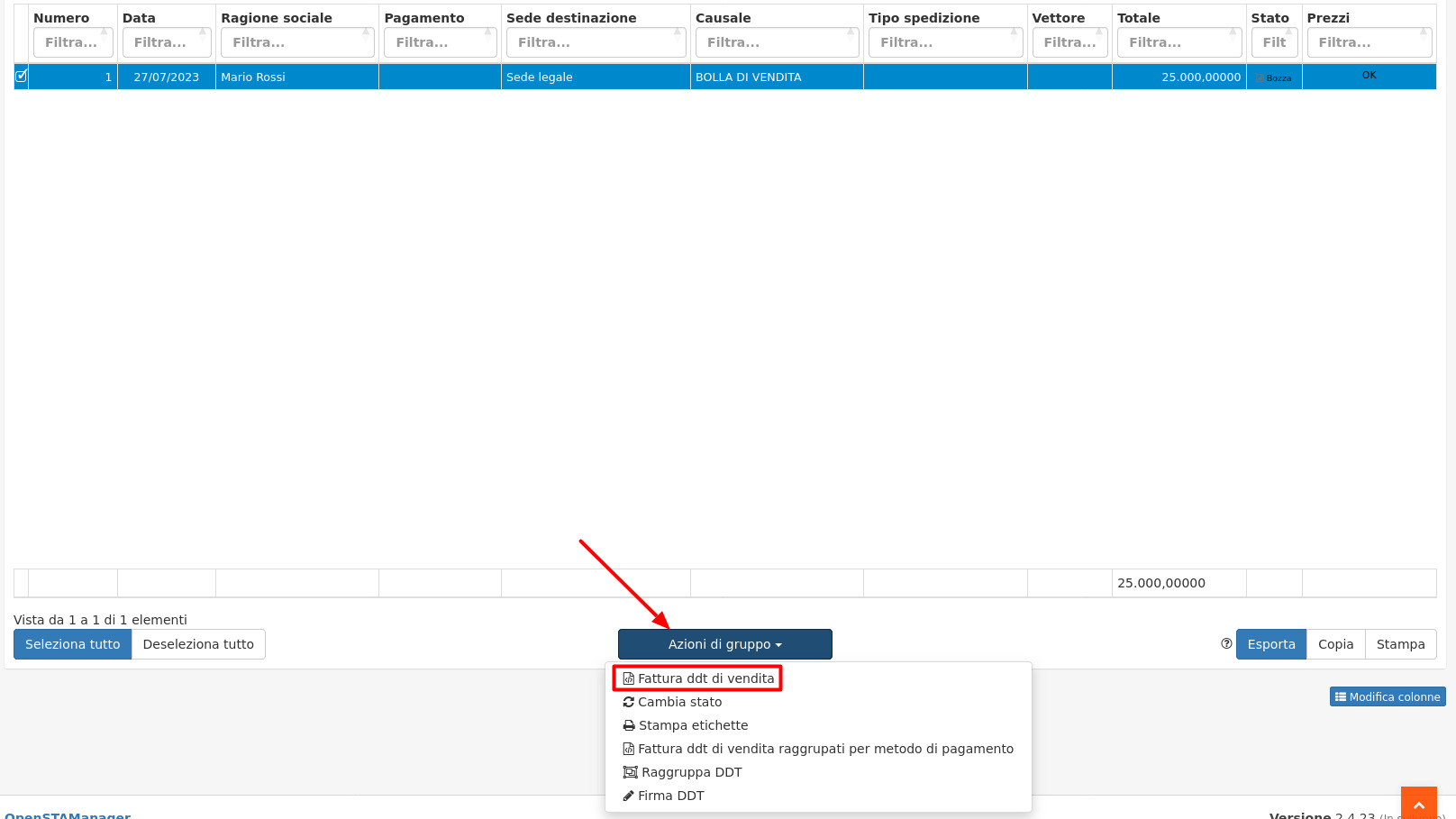
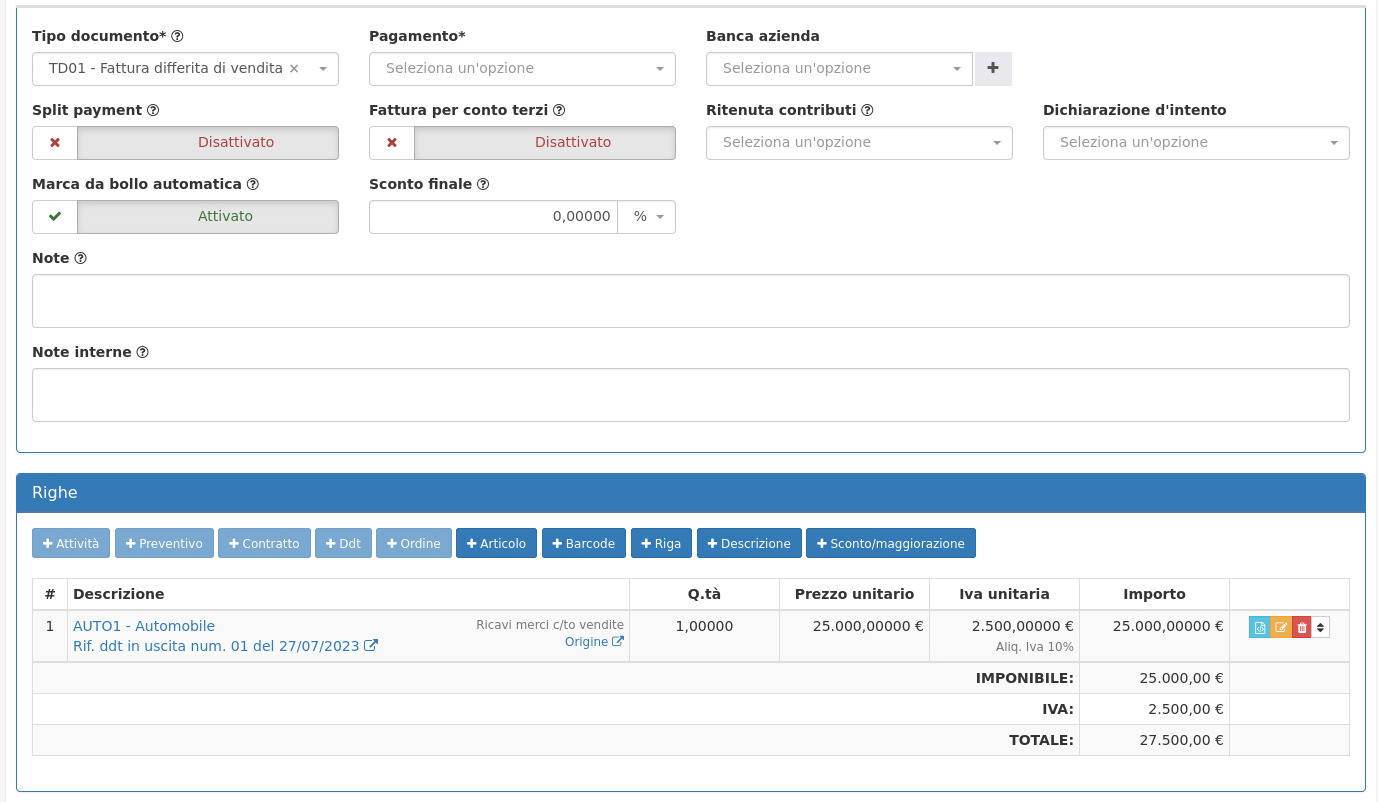
A seguito dell'evasione dei DDT di vendita sarà possibile procedere alla loro fatturazione massiva tramite **Azioni di gruppo/Fattura DDT di vendita**.
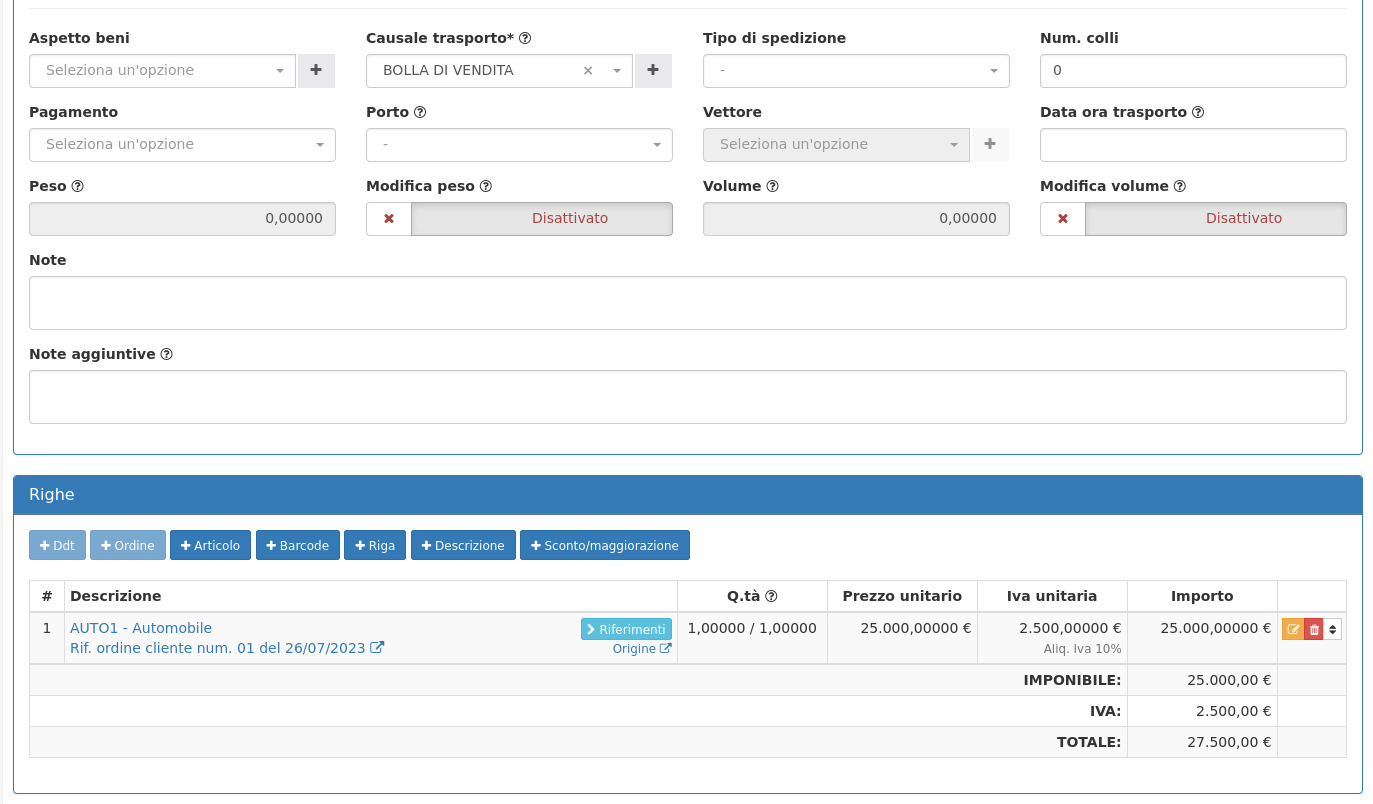
Verrà così creata una fattura di vendita che riporterà gli articoli presenti nelle righe dei DDT, con i rispettivi riferimenti ai DDT originali:
### Registrazione del pagamento della fattura
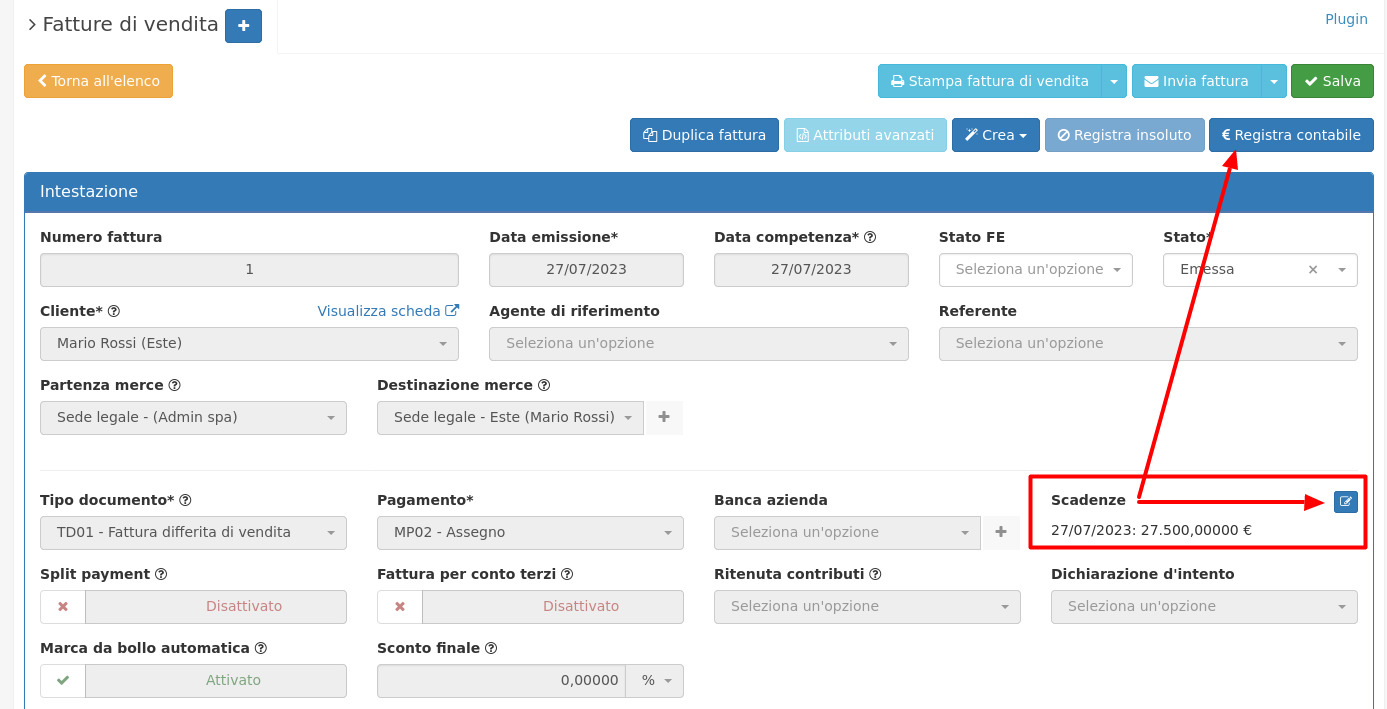
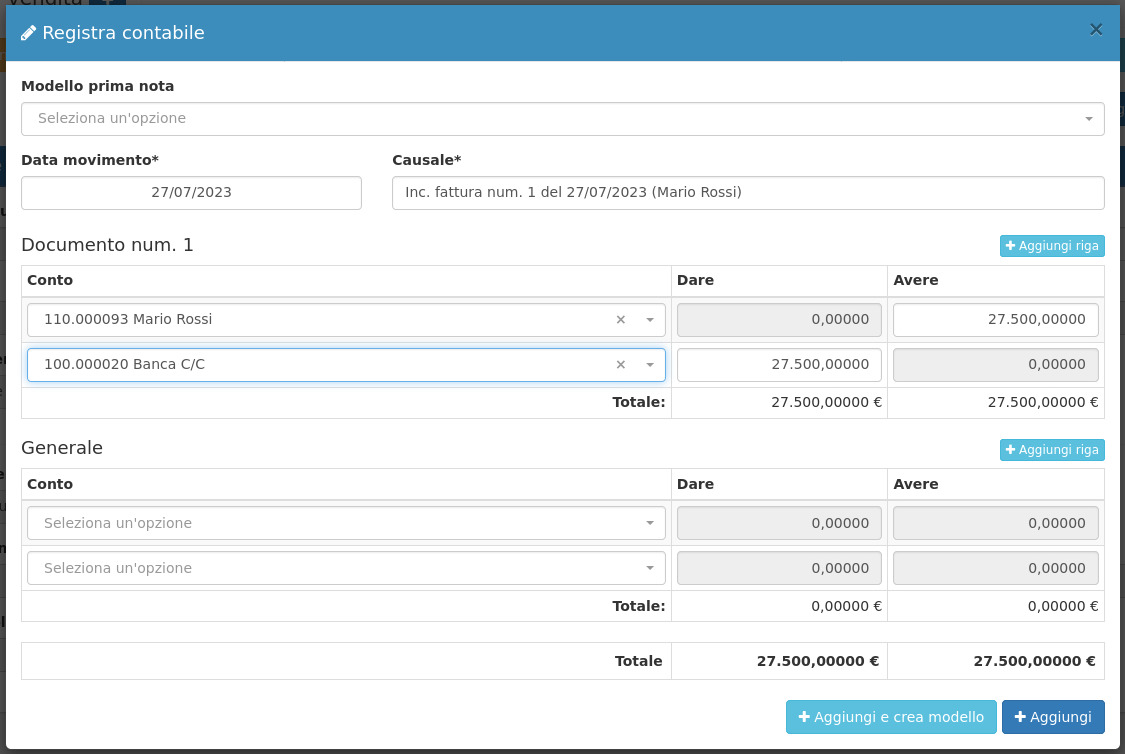
A seguito dell'emissione della fattura di vendita verrà creata la rispettiva scadenza a scadenzario. E' possibile registrare il pagamento del pagamento dalla fattura tramite l'apposito tasto **Registra contabile**, o tramite il pulsante in corrispondenza alla scadenza.
Cliccando su Aggiungi verrà così registrato in prima nota il movimento relativo al pagamento della fattura, e la rispettiva scadenza verrà chiusa.
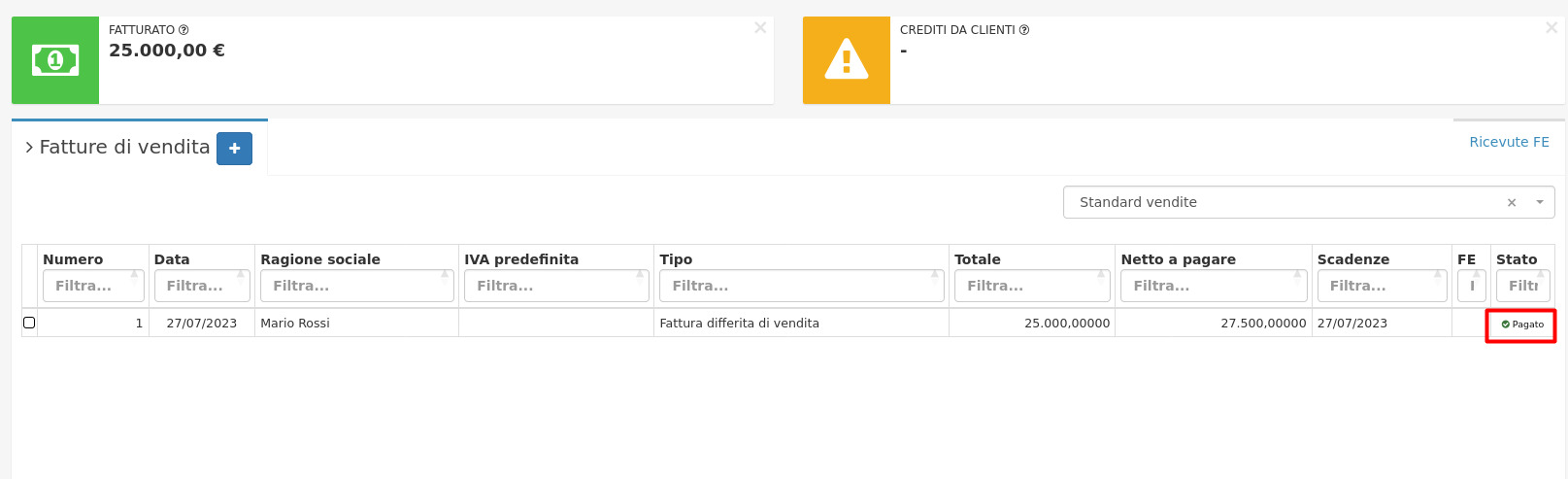
Sarà ora possibile visualizzare il cambio di stato automatico in **Pagato** della fattura, dal modulo **Fatture di vendita**.
---
# Agent Instructions
This documentation is published with GitBook. GitBook is the documentation platform designed so that both humans and AI agents can read, navigate, and reason over technical content effectively. Learn more at gitbook.com.
## Querying This Documentation
If you need additional information that is not directly available in this page, you can query the documentation by asking a question.
Perform an HTTP GET request on the following URL with the `ask` and `goal` query parameters:
```
GET https://docs.openstamanager.com/2.11.1/moduli-premium/produzione/evasione-ordine.md?ask=&goal=
```
`ask` is the immediate question: it should be specific, self-contained, and written in natural language.
`goal` is what the user is ultimately trying to achieve, the reason they need the answer. Sharing it helps GitBook give you a better, more relevant answer. A goal is most helpful when it describes the outcome the user wants rather than restating the question. For example, with `ask=how do I create an API token`, a goal like `automate deployments from our CI pipeline` lets GitBook tailor the answer to that use case.
The response will contain a direct answer to the question and relevant excerpts and sources from the documentation.
Use this mechanism when the answer is not explicitly present in the current page, you need clarification or additional context, or you want to retrieve related documentation sections.