> For the complete documentation index, see [llms.txt](https://docs.openstamanager.com/llms.txt). Markdown versions of documentation pages are available by appending `.md` to page URLs; this page is available as [Markdown](https://docs.openstamanager.com/2.5.6/openstamanager/modules/email/liste.md).
# Liste
Come creare una lista di utenti in OpenSTAManager
{% hint style="info" %}
Il modulo **Liste** permette all’azienda di creare dei gruppi di destinatari da utilizzare nell' invio delle **email.**
{% endhint %}
Questo modulo è complementare a [Newsletter](/2.5.6/openstamanager/modules/email/newsletter.md), che si occupa dell'invio email a più destinatari.
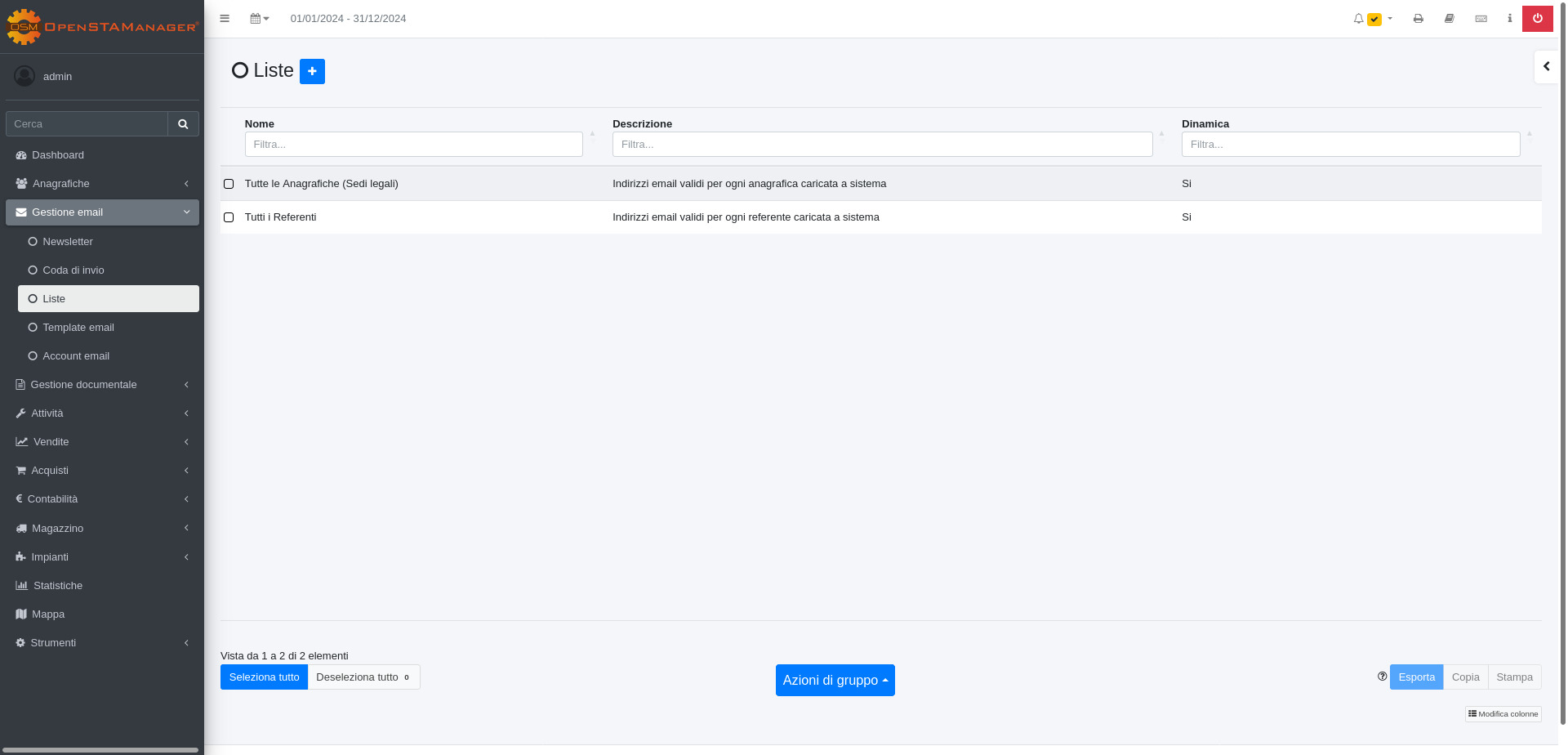
Il modulo si presenta così:
## ➕ Creazione
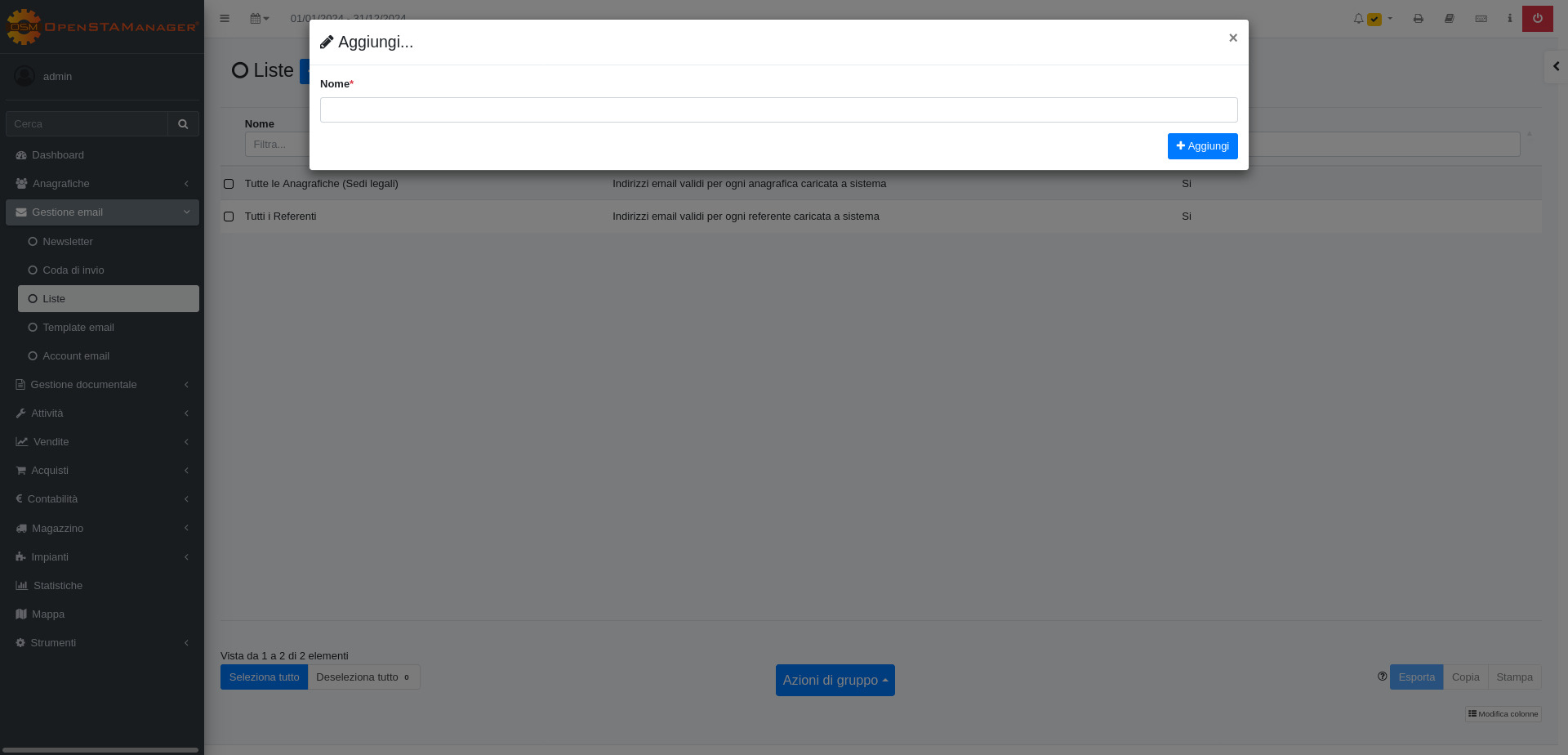
E' possibile creare una nuova lista premendo sul tasto (+):
## 🖌️ Modifica
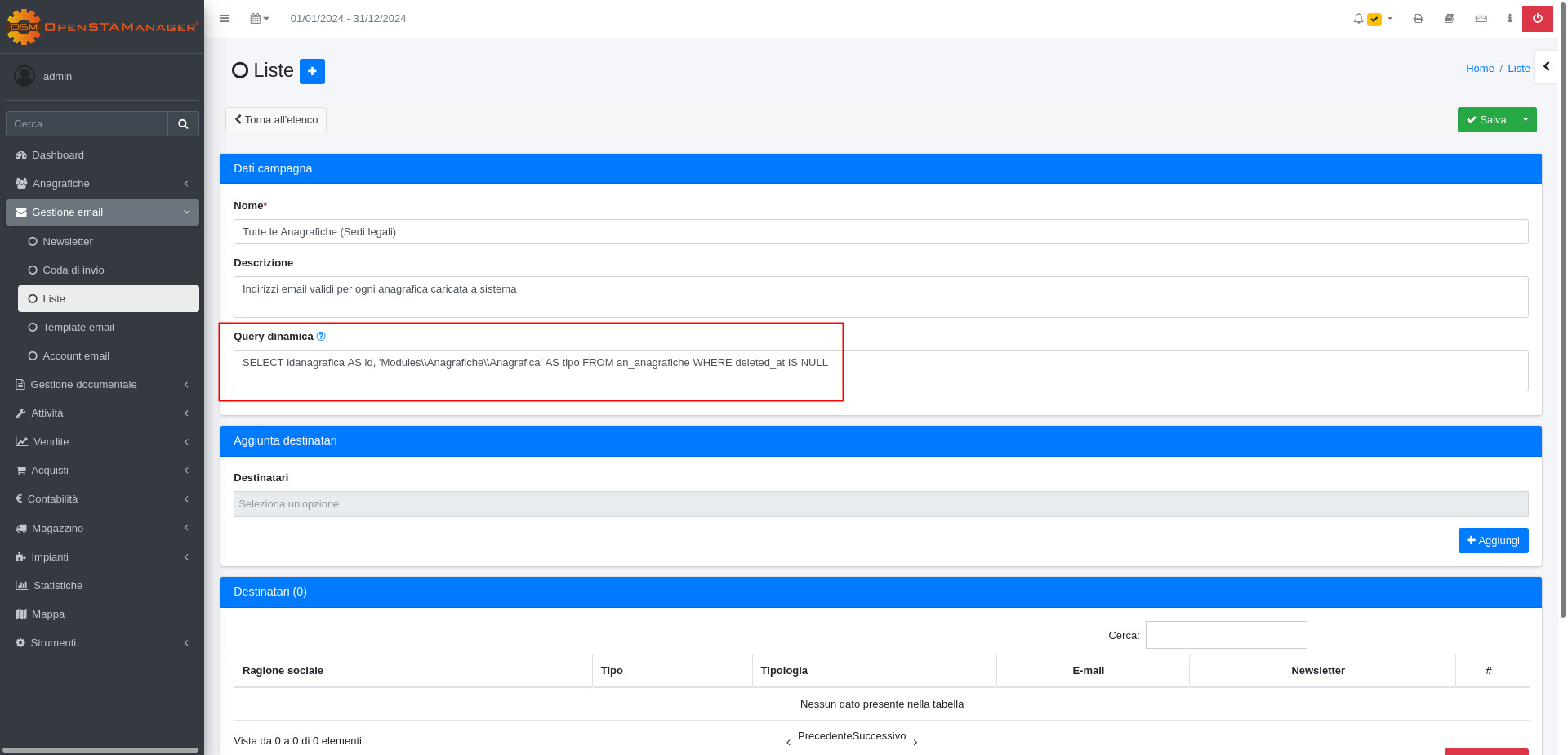
Dalla schermata di dettaglio è possibile completare tutte le informazioni riguardanti la lista, e modificare le informazioni presenti.
Sono qui disponibili i seguenti attributi:
* **Descrizione**: In questo campo è possibile aggiungere o aggiornare la descrizione della lista.
* **Query dinamica:** L'utilizzo di questo campo esclude la possibilità di inserire i destinatari tramite il menù a tendina "*Destinatari"* presente nella sezione Aggiunta destinatari.\
Le informazioni inserite in questo campo devono essere scritte con il linguaggio sql;\
*Esempio*: "SELECT idanagrafica AS id, 'Modules\Anagrafiche\Anagrafica' AS tipo FROM an\_anagrafiche WHERE deleted\_at IS NULL**"** aggiungerà tutte le anagrafiche nella tabella Destinatari.
* **Destinatari:** In alternativa, lasciando vuoto il campo *Query dinamica* è possibile aggiungere i vari destinatari tramite il menù a tendina, cliccando su aggiungi infatti, verranno inseriti i destinatari sulla tabella corrispondente.
{% hint style="warning" %}
Questo è uno strumento avanzato, è infatti necessario sapere come formulare le query.
{% endhint %}
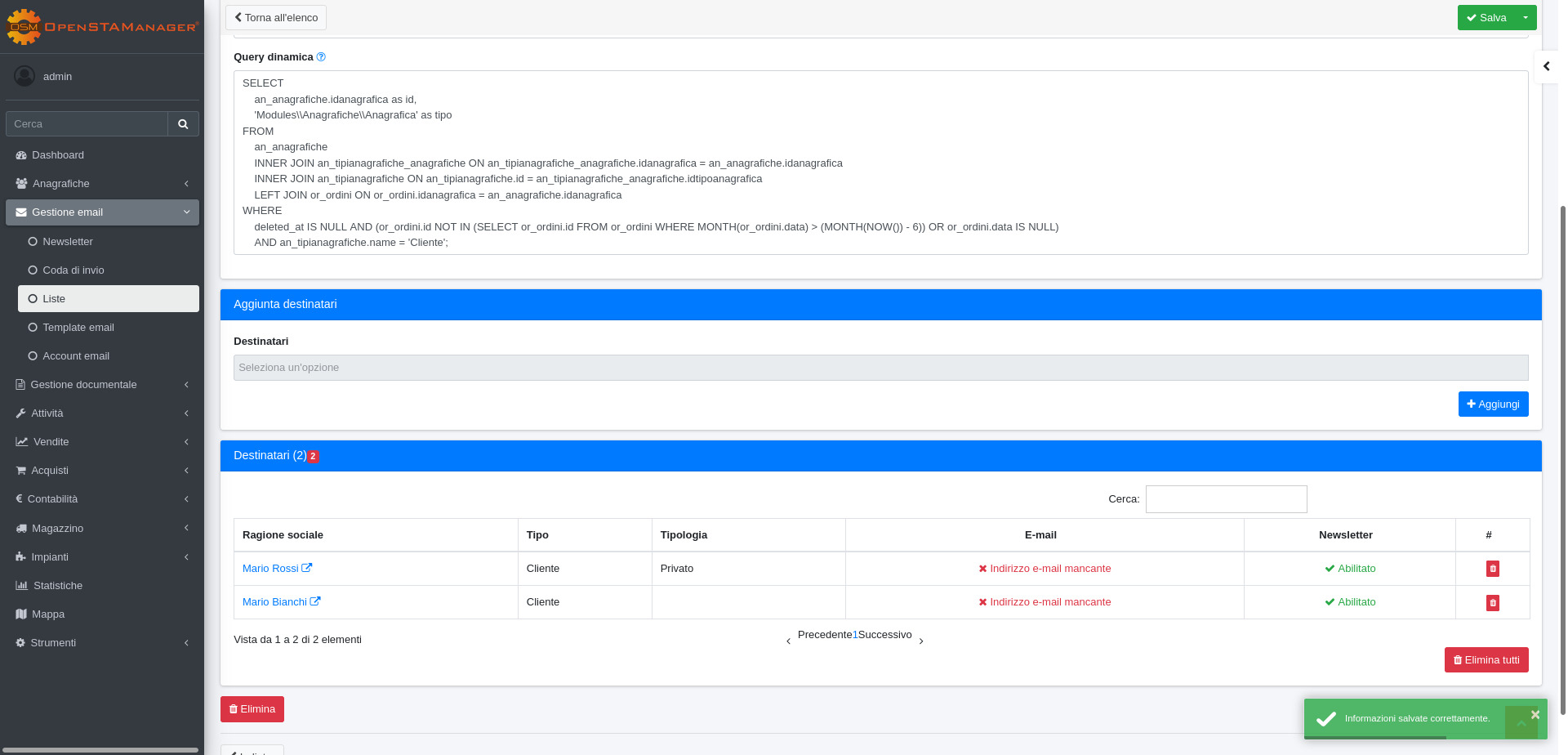
Ad esempio, volendo creare una lista contenente tutti i clienti che non hanno fatto ordini negli ultimi 6 mesi si dovrà compilare il campo **Query dinamica** in questo modo:
SELECT
    an_anagrafiche.idanagrafica AS id,
    'Modules\\Anagrafiche\\Anagrafica' AS tipo
FROM
    an_anagrafiche
    INNER JOIN an_tipianagrafiche_anagrafiche ON an_anagrafiche.idanagrafica = an_tipianagrafiche_anagrafiche.idanagrafica
    INNER JOIN an_tipianagrafiche ON an_tipianagrafiche_anagrafiche.idtipoanagrafica = an_tipianagrafiche.id
    LEFT JOIN an_tipianagrafiche_lang ON (an_tipianagrafiche_lang.id_record = an_tipianagrafiche.id AND an_tipianagrafiche_lang.id_lang = 1)
WHERE
    deleted_at IS NULL AND an_tipianagrafiche_lang.title = "Cliente"
---
# Agent Instructions
This documentation is published with GitBook. GitBook is the documentation platform designed so that both humans and AI agents can read, navigate, and reason over technical content effectively. Learn more at gitbook.com.
## Querying This Documentation
If you need additional information that is not directly available in this page, you can query the documentation by asking a question.
Perform an HTTP GET request on the following URL with the `ask` and `goal` query parameters:
```
GET https://docs.openstamanager.com/2.5.6/openstamanager/modules/email/liste.md?ask=&goal=
```
`ask` is the immediate question: it should be specific, self-contained, and written in natural language.
`goal` is what the user is ultimately trying to achieve, the reason they need the answer. Sharing it helps GitBook give you a better, more relevant answer. A goal is most helpful when it describes the outcome the user wants rather than restating the question. For example, with `ask=how do I create an API token`, a goal like `automate deployments from our CI pipeline` lets GitBook tailor the answer to that use case.
The response will contain a direct answer to the question and relevant excerpts and sources from the documentation.
Use this mechanism when the answer is not explicitly present in the current page, you need clarification or additional context, or you want to retrieve related documentation sections.