> For the complete documentation index, see [llms.txt](https://docs.openstamanager.com/llms.txt). Markdown versions of documentation pages are available by appending `.md` to page URLs; this page is available as [Markdown](https://docs.openstamanager.com/2.9.1/openstamanager/modules/email/template.md).
# Template email
Come creare un template email OpenSTAManager
{% hint style="info" %}
Il modulo **Template email** permette all’azienda di gestire le informazioni di base riguardanti i contenuti e le caratteristiche delle email che OpenSTAManager può eventualmente procedere a inviare.
{% endhint %}
Questo modulo è complementare a [**Account email**](/2.9.1/openstamanager/modules/email/account.md), che si occupa di gestire le informazioni degli account email utilizzati per l'invio delle email.
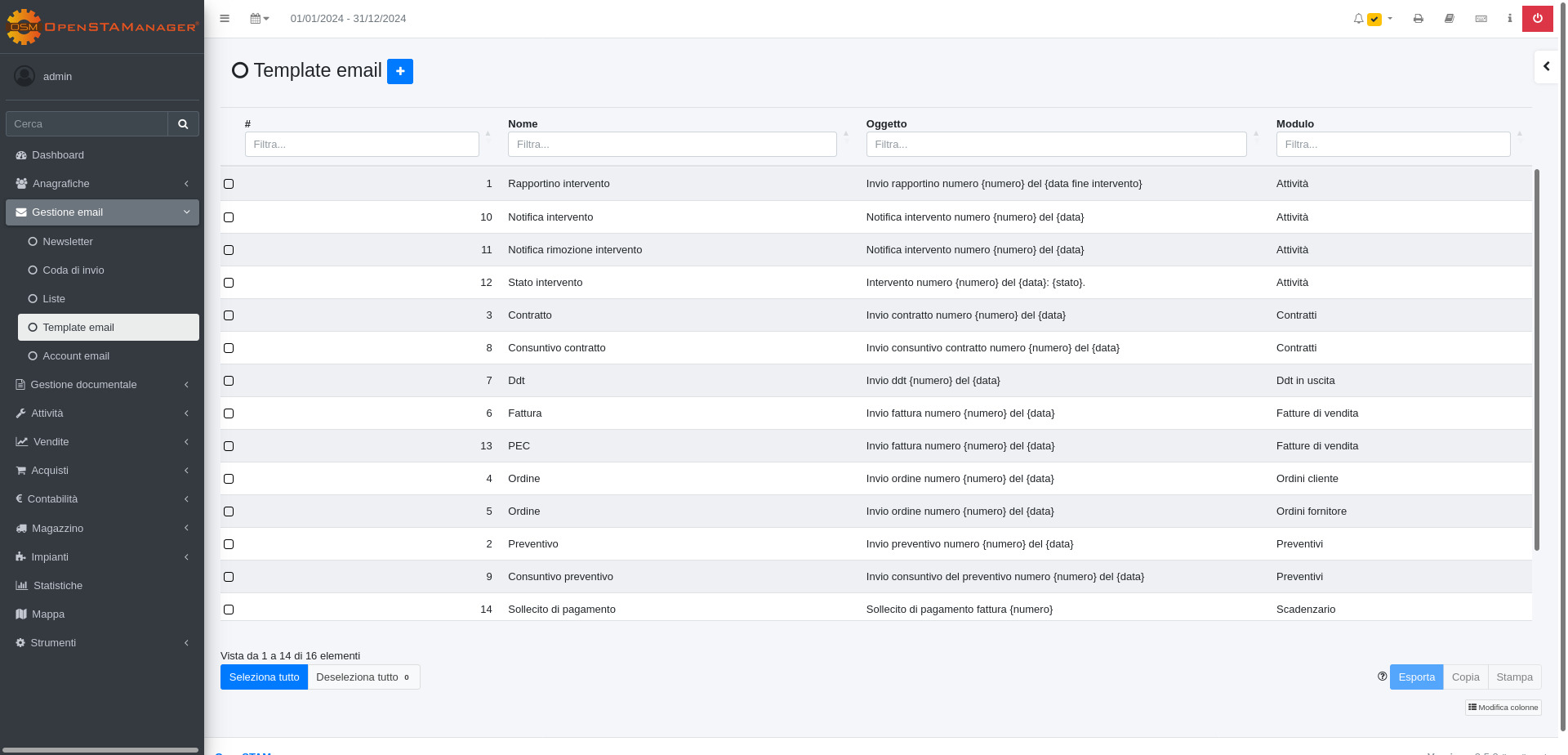
La schermata del modulo si presenterà così:
## Creazione
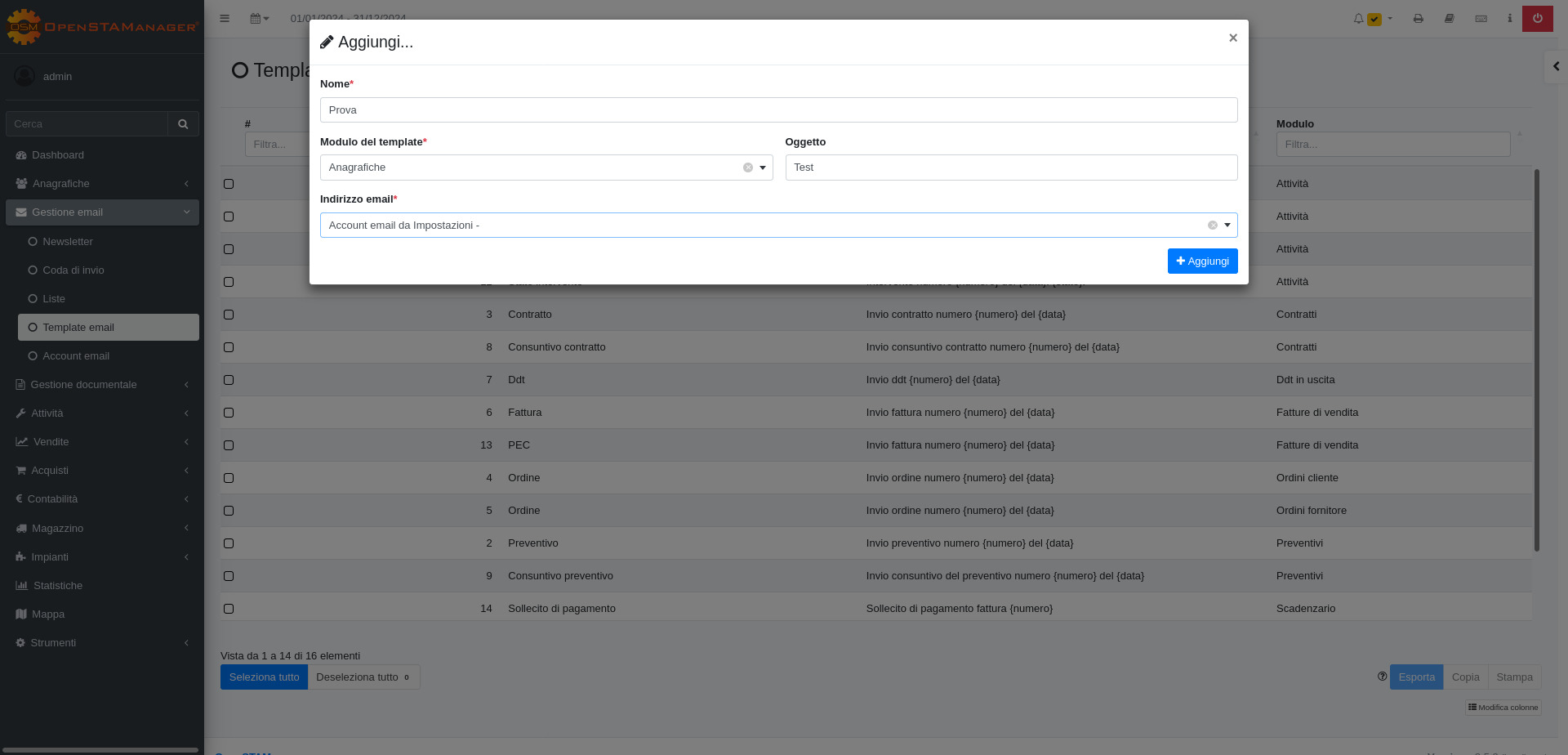
Per creare un nuovo template email si dovrà cliccare sul tasto (+) e inserire il Nome, Modulo a cui applicarlo, Oggetto e indirizzo email da cui inviare la mail.
## Modifica
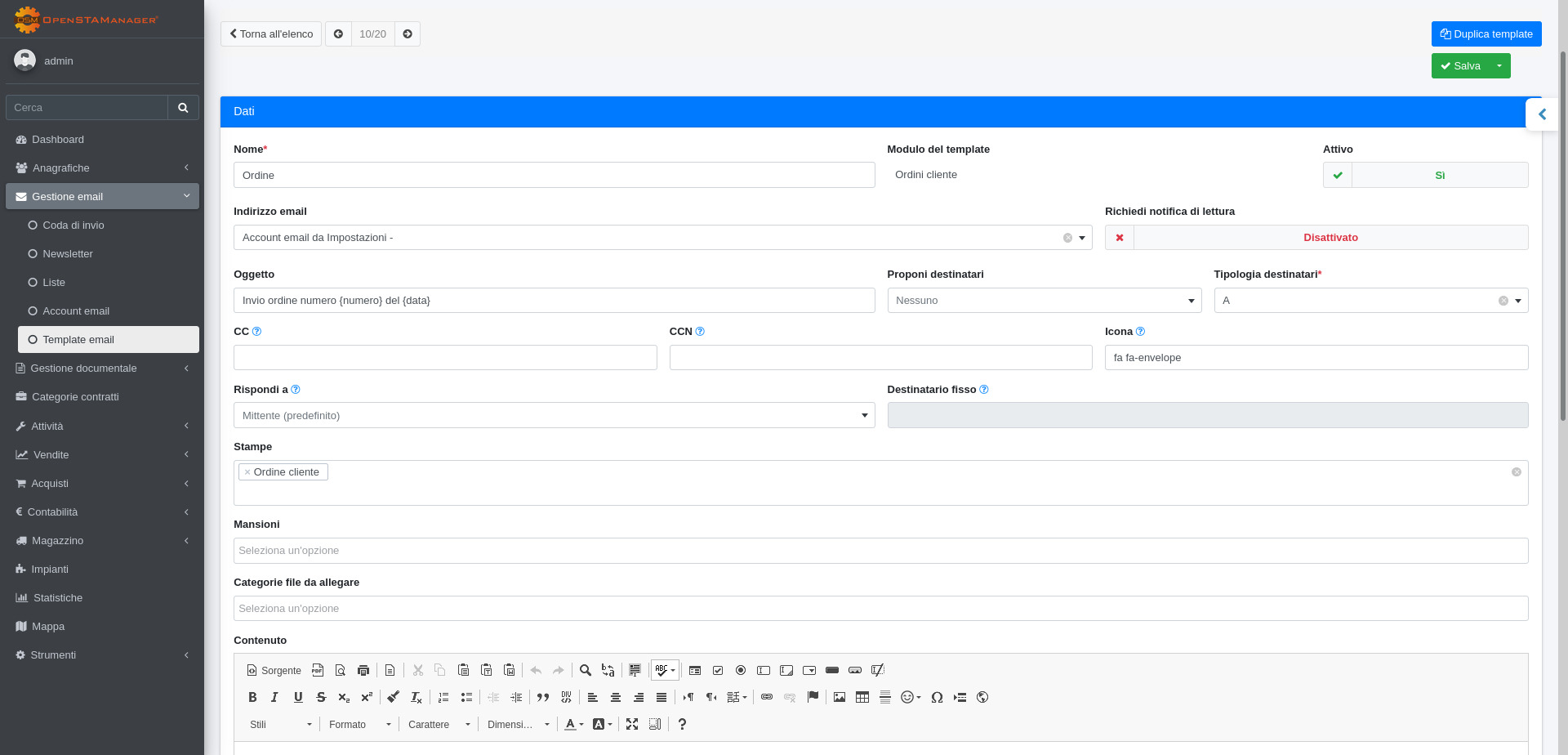
La schermata di modifica permette il completamento di tutte le informazioni riguardanti il template, vengono resi disponibili i seguenti attributi:
* Notifica di lettura (per richiederla)
* Icona
* CC
* CCN
* Rispondi a
* Stampe da allegare (di default)
* Mansioni
* Contenuto
Tra questi campi, *Contenuto* e *Oggetto* prevedono un sistema di autocompletamento per alcuni particolari valori definiti dal modulo. L'elenco completo di questi elementi viene reso disponibile nella sezione informativa **Variabili**.
La sostituzione di queste componenti dipende dai contenuti del *record* da cui viene inviata l'email.
È inoltre presente il pulsante **Duplica template** che permette di duplicare un template precedentemente creato.
## Particolarità
Sono presenti dei template predefiniti per diversi moduli, personalizzabili a piacimento.
{% hint style="info" %}
Inserendo un'indirizzo email nel campo "**CC**" di un relativo **Template** ogni email verrà inviata anche all'indirizzo email inserito in "**CC"** oltre al destinatario principale dell'email. Questo, per esempio, può essere utile se voglio inviare un'email ad un **Cliente** e al commercialista.
{% endhint %}
---
# Agent Instructions
This documentation is published with GitBook. GitBook is the documentation platform designed so that both humans and AI agents can read, navigate, and reason over technical content effectively. Learn more at gitbook.com.
## Querying This Documentation
If you need additional information that is not directly available in this page, you can query the documentation by asking a question.
Perform an HTTP GET request on the following URL with the `ask` and `goal` query parameters:
```
GET https://docs.openstamanager.com/2.9.1/openstamanager/modules/email/template.md?ask=&goal=
```
`ask` is the immediate question: it should be specific, self-contained, and written in natural language.
`goal` is what the user is ultimately trying to achieve, the reason they need the answer. Sharing it helps GitBook give you a better, more relevant answer. A goal is most helpful when it describes the outcome the user wants rather than restating the question. For example, with `ask=how do I create an API token`, a goal like `automate deployments from our CI pipeline` lets GitBook tailor the answer to that use case.
The response will contain a direct answer to the question and relevant excerpts and sources from the documentation.
Use this mechanism when the answer is not explicitly present in the current page, you need clarification or additional context, or you want to retrieve related documentation sections.